


A sales calculator works out the numbers behind a sale: the discounted price, the sales tax, the final price the customer pays, and the profit margin the business keeps. Good ones account for state and local tax rates, so the figure on the invoice is the figure the law expects.
Because sales tax rates differ from state to state and even between nearby towns, doing this by hand is error prone. A sales calculator also helps with pricing decisions. You can see what a discount does to margin before you offer it, and you can adjust the tool as your products, prices, and markets change.
What a sales calculator does
A sales calculator finds the final price of a product or service after discounts, sales tax, and any other adjustments. Retail and e-commerce businesses use them constantly, but any company that quotes prices needs the same math. Getting it right keeps your prices correct and your tax filings clean.
Parts of a sales calculator
Most sales calculators work with four numbers:
- The original price, which is the starting price before any discounts or taxes. Every other number is calculated from it. Multiply it by the discount rate and you get the discount amount, which is what the customer saves.
- The discounted price, which is what’s left after the discount. It equals the original price x (1 − discount rate). Calculating it correctly makes sure a promotion doesn’t eat more margin than you planned.
- The sales tax rate, which is the percentage of tax applied to the sale. It depends on where the sale takes place, so you need the right rate for each location.
- The final price, which is the total the customer pays after discounts and tax. Errors here lead to unhappy customers or money lost.
Calculating profit margins
Profit margin tells you how much of each sales dollar you keep as profit. It is usually shown as a percentage:
Profit margin = ((Revenue − Costs) / Revenue) x 100
Margin is one of the clearest measures of how well a company turns sales into profit, and it drives pricing and cost decisions. Leave sales tax out of revenue when you calculate it. Tax you collect from customers belongs to the state, not to you.
Steps to calculate profit margin
- Find your revenue. This is the total amount of money from sales, net of discounts. Tracking it accurately is the first step in judging a business’s financial health.
- Add up your costs. Which costs you include depends on the margin you want. Gross margin uses the cost of goods sold, such as raw materials, production labor, and production overhead. Operating margin also subtracts operating expenses, including selling expenses like sales commissions, which accounting rules treat as operating expenses rather than expenses directly related to the product. Smaller costs such as transaction fees also cut into profit, so decide where they go and count them consistently.
- Apply the formula. The result shows how much profit you make relative to sales revenue, which gives you a basis for pricing, budgeting, and broader financial decisions.
Here is a simple example. Say a product sells for $200 and costs $150 to make and deliver. The margin is ($200 − $150) / $200 x 100 = 25%. If you offer a 10% discount, revenue drops to $180 while costs stay at $150, and the margin falls to ($180 − $150) / $180 x 100 = 16.7%. A 10% discount cut the margin by a third.
Applying discounts accurately
Discounts can bring in new customers and raise sales volume, and a good discount strategy can build loyalty. The example above shows the risk, though. Applied carelessly, discounts cut into margin much faster than the headline percentage suggests.
Common types of discounts
- A percentage discount takes a share off the original price. Companies often use it for promotions, to attract new customers, or to clear inventory. To find the discount percentage from a known discount amount, divide the discount amount by the original price and multiply by 100.
- A fixed-amount discount takes a set dollar amount off the original price. It is easy for customers to understand and easy for businesses to apply.
Each type suits different marketing goals, so pick the one that matches what the promotion is meant to do.
Calculating discounted prices
For a percentage discount, use this formula:
Discounted price = Original price x (1 − Discount rate)
Written with a percentage, that is the same as Original price − (Original price x (Discount percentage / 100)). For example, a $200 item with a 15% discount costs $200 x (1 − 0.15) = $200 x 0.85 = $170. The discount amount is $200 x 0.15 = $30.
A common mistake is to multiply the original price by the discount percentage and treat the result as the new price. That gives you the discount amount ($30), not the discounted price ($170).
For a fixed-amount discount, subtract the discount from the original price. A $25 discount on a $200 item makes the price $175. Checking these numbers before a promotion goes live keeps the promotion in line with your financial goals.
Working out sales tax
Sales tax depends on where the sale happens and what is being sold. Businesses have to charge the right amount to comply with the law and keep customers’ trust.
Rates can differ even between neighboring areas, so accurate tax calculations often need the exact address or advice from a tax professional. Buyers have their own tax responsibilities, too. For many businesses the hardest part is working out which items are taxable in the first place.
Understanding sales tax rates
Sales tax rates vary widely by state and locality. Delaware, Montana, New Hampshire, and Oregon have no statewide sales tax. Alaska has no statewide sales tax either, but it allows local governments to charge their own. Every other state has a statewide rate, and many counties and cities add local taxes on top.
Because local taxes can differ within a single state, you need to know the combined rate for each location where you sell.
Using zip codes for tax purposes
Zip codes are a common shortcut for estimating sales tax, but they are unreliable for this. Zip codes were designed for mail delivery, and their boundaries don’t always match tax jurisdictions. One zip code can span more than one tax area, so a zip-based rate can be wrong.
Some sales tax calculators estimate rates by zip code anyway. For accurate results, use the full street address or ask a tax professional, so the correct local rate is applied.
State and local taxes and exemptions
Sales tax rates can change at the state, county, and city level, so businesses need to keep up with the rates where they sell. Exemptions matter as well. Some buyers and some products are exempt from sales tax, and knowing which ones apply to your business affects both pricing and compliance.
Calculating sales tax
To calculate the sales tax on a purchase, use this formula:
Sales tax = Tax rate x Taxable amount
Convert the tax rate from a percentage to a decimal first by dividing it by 100, so 8% becomes 0.08. The taxable amount is usually the price after discounts. Add the tax to the discounted price to get the final price.
Applying the tax rate
You can apply the rate by hand or with a sales tax calculator. For example, if a product costs $100 and the sales tax rate is 8%, the tax is $100 x 0.08 = $8, and the final price is $108.
Putting it all together with the earlier discount example: a $200 item with a 15% discount has a discounted price of $170. At an 8% tax rate, the tax is $170 x 0.08 = $13.60, and the customer pays $183.60. Because rates vary by state and locality, always confirm the rate for the specific location before you apply it.
Using software for sales calculations
Software that automates these calculations cuts errors and saves time. It handles complex math quickly and frees your staff for work that needs judgment.
Benefits of automated sales calculators
Automated calculations are more consistent than manual ones, which means fewer pricing errors and fewer discrepancies in your books. Staff also spend less time on repetitive math. Some tools connect to tax rate databases, so the rates they apply stay current as laws change, which helps with compliance.
Choosing the right sales calculator
When you compare tools, look for:
- Integration with your existing financial systems, so data stays consistent and nobody retypes numbers
- Support for different tax rates and exemptions, so the tool fits the places and products you sell
- Settings you can adjust for different discount types and margin calculations
For harder questions, such as nexus rules and when you are required to collect sales tax in another state, pair the tool with guidance from a tax professional.
What sales managers, CFOs, and HR get from accurate calculations
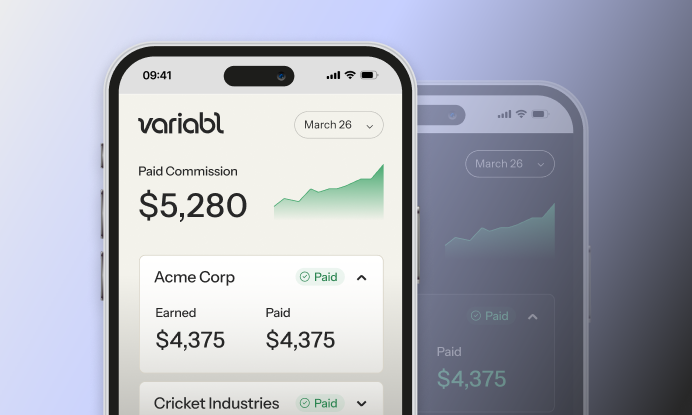
Price and discount math flows straight into commissions. If your plan pays commission on net revenue, a rep’s payout depends on the discounted price, not the list price, and sales tax stays out of the commission base because it isn’t revenue. On the $200 item sold at 15% off, a 5% commission is $170 x 0.05 = $8.50, not the $10 it would be on list price.
That is why sales managers need accurate sales calculators: correct numbers mean fair payouts and fewer disputes. CFOs need the same accuracy to keep commission payouts in line with the budget and to limit compliance risk. HR benefits from clear, simple commission structures that make payroll easier. Tools that are easy to use help with employee engagement too, because reps can see how each deal affects their pay and their progress toward on-target earnings.
Implementing a sales calculator in your business
- Work out what you need. List the calculations your business actually runs. If you sell internationally, remember that countries handle sales tax, VAT, and GST differently.
- Pick a tool that covers those calculations and connects to your current systems.
- Train the people who will use it, so everyone applies it the same way.
Where to start
Start with the numbers that cause the most errors today. For most businesses that means discounted prices and sales tax by location. Check your current formulas against the ones above, confirm the rates for every place you sell, and then decide whether a spreadsheet is still enough or whether it’s time for a sales calculator that connects to your other systems.